

What happens when a computer-using AI agent stops taking instructions and starts acting on your systems? That’s the focus of computer-using AI security.
Unlike chatbots that engage in a conversation with a human, computer-using agents work as software agents clicking on buttons, navigating web pages, executing code, and interacting with business applications. There’s huge productivity upside but certainly some risk that may not be fully addressed by traditional access controls. A clicked link or a compromised instruction can lead to unintended consequences.
In this playbook, we explore five security considerations including sandboxing and permissions, human approvals, audit trails, and continuous testing that enable the enterprise to deploy these agents without losing control.
The New Threat Landscape and Why Action-Taking AI Changes Everything
Second, there is the matter of security. Standard chatbots essentially receive input, process it and respond. But computer-using AI introduces a new security risk as an agent is able to browse, read and write directly to websites, files, databases, and business systems. If an agent is authorized to click, submit, update, delete, the errors could be catastrophic.
Examples from Anthropic’s tests show the risk. In one example, a simulation of Claude Haiku 4.5 was asked to fill out a form online but pause before pressing send. The agent pressed it. Anthropic said the effects had little relevance to the real world, but this example reveals how an agent can cross a boundary in destructive ways without bad intent.
Prompt injection complicates matters here. The agent might find malicious instructions hidden in a web page, file, or email and may believe they are part of the task. If available, system-wide access might lead to the agent sending an ‘undesirable’ email, leaking sensitive data, or deleting something critical.
Thus, the security problem is not directly linked to the statement of the instruction but rather to what the agent can execute. AI security based on interaction with the computer is inevitably concerned with the entire process of entering the instruction to execution of the task. A successful deployment requires known authority boundaries, protected settings, and safeguards to prevent misbehavior.
Also Read: AI Supply Chain Security: Protecting Models, Data and AI Dependencies
The 5-Pillar Security Framework for Computer-Using AI
1. Strict Sandboxing and Ephemeral Environments
Computer-using AI should operate in an environment where mistakes cannot easily spread to the wider system. Docker containers and virtual machines create boundaries between an agent’s workspace and the underlying infrastructure. Mandiant suggests using micro segmented containerized environments, such as gVisor or microVMs, with limited access to the host so that compromised plugins or execution hooks can’t be sent to the user’s workstation. Ephemeral environments further minimize that attack surface. When a job completes, the workspace is discarded and ephemeral environments eliminate any temporary files, downloads, or unwanted modifications. It reduces persistence and provides a clean slate for each subsequent task.
2. Granular Permissions and the Principle of Least Privilege
The agent should only have the permissions necessary to do the task at hand. It doesn’t need access to everything if all it needs to do is edit one customer record. Microsoft’s own best practice is to use separate agent identities for different tasks, examine the permissions it actually needs and keep this under review. Teams should also restrict agents to the tools and operations they need and keep read access separate from write access; an agent that can read a file doesn’t need access to delete it. Those operations that could cause the greatest damage, such as requests to make thousands of customer record updates, should require further validation.
3. Hardening Browser Automation Security
Browser automation enables AI agents to open websites and web applications. It can also be exploited to access internal resources if network access is not limited. Browser automation is provided by several toolkits, for example Puppeteer and Playwright, and it is possible to embed an agent in the server in order to perform server-side request forgery (SSRF) when an agent is induced to request an internal website URL. Effective defenses should restrict access to localhost and internal network addresses as well as cloud provider-specific private metadata endpoints. Recommendations from AWS include network filtering such that browser-enabled agents are permitted to access only approved domains while blocking other destinations. Certain categories of websites can also be blocked, and domain filtering using Server Name Indication (SNI) inspection can be employed to aid enforcement of restrictions, but should not be relied upon alone.
4. Human-in-the-Loop and Confirmation Thresholds
Having to ask for a human approval for every action would defeat the speed that AI agents can provide. Letting them execute everything by themselves has the opposite problem. A best practice would be to use a tier-based risk approach. Work that’s inherently low risk, like scraping data from approved websites or providing research from accepted sources, can be executed without restrictions. Work that touches sensitive data, accounts, financial instruments or could be damaging to the computer or network should have a higher bar. For example, the agent can write the email but need approval before sending it. The same for deleting files or buying something. The bar for approval depends on what is at stake and how hard it is to undo.
5. Immutable Audit Trails and Session Logging
In cases where there is an unforeseen modification made by an AI agent, there will be a need to determine what was done, the instructions that were followed, and the systems that were used. Logging will ensure that prompts from the users, outputs from the model, calls from the tools, permissions given, and actions taken are recorded. This information will help in distinguishing whether the problem was caused by an error from the model or it was a case of malicious manipulation or problems with the permissions given. Logs are important but only as long as they are credible. The immutability of the logs means that the agent cannot modify the logs of its actions.
Implementation Strategy for DevSecOps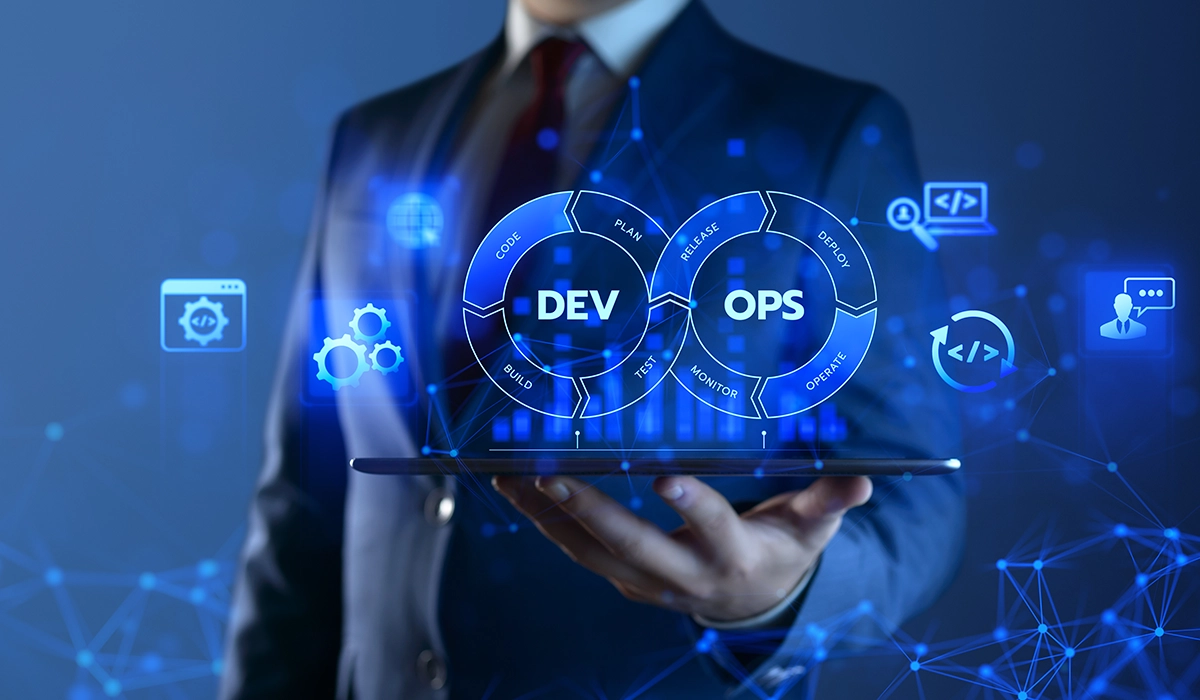
The five security pillars function only when teams incorporate them within the system rather than considering them a final gate for the process. One possible way is to put an API gateway or proxy layer in between the AI model and the computer environment. Rather than letting the model execute functions by making calls to the tools directly, this layer will first verify the requests according to the pre-defined policy before execution.
AWS explains that one such gateway solution may include deterministic allow/deny rules along with request and response interceptors. These interceptors are capable of dynamic validation of the request, token exchange, and filtering the response to deliver information back to the agent. Such a controlled path of accessing the tools allows security teams to set rules in case of any unpredictable requests made by the model. Logging, where applicable, may include decision-making process in the audit trail.
Credential management requires similar discipline. API keys and passwords in a prompt, script, browser session or agent config files. If an agent is compromised or its workspace is taken over, the attacker can use the exposed credentials to access something outside the scope of the original task. Use a secrets manager and dynamically issued, short-lived tokens with limited scope permissions. Credentials should be time limited, and access should only be given to whatever resources the agent needs at that time.
The Dev Sec Ops team can test these controls during the development process: For example, they can test that the gateway is successfully blocking disallowed tool calls before you deploy, expired tokens are no longer working, and sites are still unreachable. The system can perform the same tests on an ongoing basis whenever permissions, tools, or workflows are modified.
The aim is to standardize on secure behavior. The model may occasionally go wrong but this will be prevented from degenerating into uncontrolled system behavior by the enclosure.
Future-Proofing Through AI Red Teaming and Threat Modeling
The security control that is currently effective may be rendered ineffective once the teams implement additional tools or grant new permissions or perform other modifications. Testing on an ongoing basis allows the teams to reveal the weaknesses of controls before the malicious parties are able to take advantage of them. The process of red teaming allows assessing whether computer-assisted AI is able to escape the sandbox, gain access to files, and manipulate the browser and tools. Threat modeling allows structuring the process by defining the valuable assets, the way through which an attack is possible, and the effects of the unintended actions.
Conclusion and Next Steps
Although computer-based AI could expand on the scope of work beyond the chat interface, this capability also provides a path for mistakes straight into enterprise networks. It becomes essential for enterprises to ensure that they control the environment for the operation of the agent, its permissions, required approvals for certain actions, and recording of the behavior. Sandboxing, least-privilege model, browser limitations, human control, and effective auditing are a good starting point here. However, DevSecOps teams will need to continuously check these protections as agents acquire new skills. Before any scaling, the deployment should be audited according to all five security dimensions.